


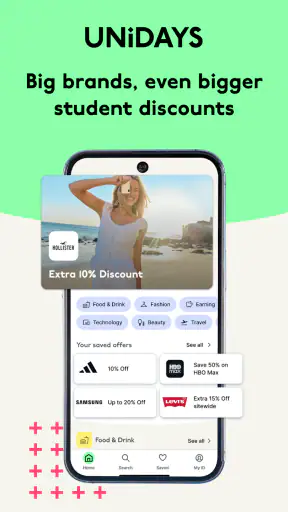
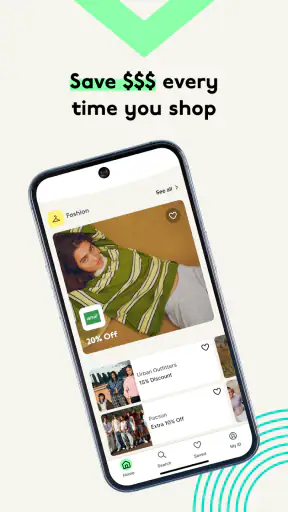

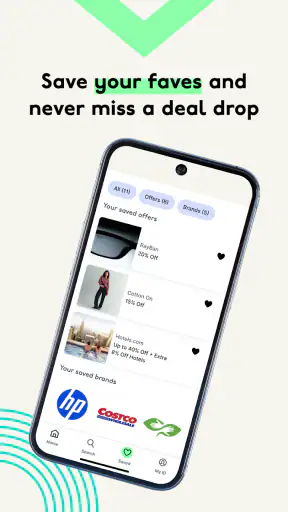
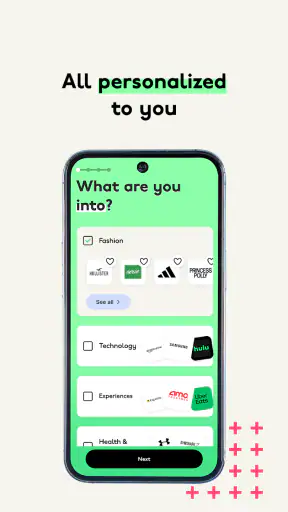
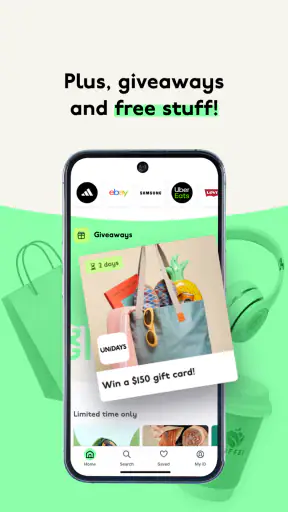

I approached UNiDAYS: Student Coupons as a practical shopping companion rather than a general deal browser. Its purpose is straightforward: help eligible students find digital discounts, coupons, and promotional codes in one place. That focus makes it appealing when I am already planning a purchase, but it also means the app is most useful when I am willing to check the conditions behind each offer instead of assuming every discount will apply automatically.
Developed by UNiDAYS, this free shopping app is aimed at a Teen audience and runs on Android devices using version 8.0 or later. It has been available since February 10, 2015, and the current version is 10.7.18. The large user base is reflected in more than five million installs and an average rating of 4.9 from roughly twenty-three thousand ratings. Those figures suggest that the central idea works well for many students, although a strong rating does not remove the need to judge whether the available offers match your own shopping habits.
How the app feels to use in everyday shopping
Readability and navigation when you are comparing offers
My first impression is that the app is easier to understand when I treat it as a collection of shopping destinations rather than as a single universal coupon. I would open it with a particular goal in mind, such as checking whether a clothing purchase, meal, software subscription, or student essential has a current offer. That approach keeps browsing purposeful and reduces the temptation to scroll through deals that are not relevant.
The basic language is familiar: discounts, codes, and student savings. That matters because an app can become frustrating when it hides the important action behind vague labels. Here, the useful question is usually simple: can I access this offer, and what do I need to do next? I still recommend reading the offer page carefully before leaving the app, because the headline discount is only one part of the decision. The redemption method, exclusions, and timing can matter just as much as the percentage or promotional wording.
For users who need clear visual organization, the most helpful habit is to pause on one offer at a time. Rapidly scanning a long list can make similar promotions blur together, especially when several brands use comparable wording. I found the experience more manageable when I selected a category or brand first, then checked the details in sequence instead of opening multiple offers and trying to remember which conditions belonged to which one.
That workflow also helps people who use screen magnification or larger text settings at the device level. Enlarging content can make a page easier to read, but it may also require more scrolling. In practice, that is a reasonable trade-off for someone who would rather inspect the code and conditions comfortably than view everything at once. I would not judge the app by how quickly I can browse; I would judge it by how confidently I can identify the correct offer.
Motor considerations during the redemption process
Coupon apps are not demanding in the same way as games, but they can still create small motor challenges. A user may need to tap a brand, open an offer, copy a code, switch to a browser or shopping app, and paste the code during checkout. Each transition adds another opportunity for an accidental tap or a lost place. I found it sensible to prepare the purchase first and use the coupon only when I was close to completing the order.
That is particularly useful for anyone with limited dexterity, tremor, or difficulty with repeated precise taps. Instead of exploring deals while standing in a busy shop, I would check the offer before arriving, save the relevant information in a way that is easy for me to retrieve, and keep the checkout steps as short as possible. The app can support the discovery stage, but the final redemption may still happen in another service with its own controls.
A practical detail is to avoid relying on memory. If a code has several characters, copying it is safer than retyping it. If I am using a phone with a small display, I also prefer to keep the coupon page open until the code has been accepted. This is not a glamorous feature, but it reduces mistakes and makes the app more usable for people who find rapid switching or text entry tiring.
The same advice applies to students shopping from a physical store. If an offer requires a digital presentation rather than a manually entered code, I would open it before reaching the checkout and increase screen brightness only as much as comfortable. A cashier may need to see the screen quickly, so having the correct offer ready is more inclusive than trying to search while other people are waiting.
Sensory comfort and different attention needs
Shopping tools can be surprisingly tiring when they constantly compete for attention. My best experience with this app came from using it with a narrow task: search for the retailer, inspect the terms, and decide whether the saving is worth the effort. That makes the app less mentally noisy than treating it as an endless stream of promotions.
For users who are sensitive to visual clutter, the important distinction is between discovering an offer and evaluating it. Browsing can involve many logos, product categories, and promotional messages, while the terms require slower reading. I would separate those activities rather than attempting to make a purchase decision during a quick scroll. If reading dense text is difficult, device-level display settings and text-to-speech tools may help, although the quality of that experience can depend on how the offer content is presented.
People with attention difficulties may also benefit from a personal rule: only open the app when they can name the purchase they are researching. This prevents a discount from turning into an unnecessary purchase. In my view, that is one of the most important forms of accessibility here. Saving money is not genuinely helpful if the interface encourages impulsive browsing that makes it harder to distinguish a useful discount from a tempting one.
Situational access for busy student routines
The strongest use case is a realistic one: I am about to buy something I already need, and I have a few minutes to check whether my student status unlocks a better price. I open the app before checkout, find the relevant brand, read the restrictions, and then use the offer while the purchase is still in front of me. That workflow is faster and less stressful than searching the wider web for uncertain coupon pages.
It can also help when a student is planning a larger purchase in advance. I would compare the available offer with the retailer’s normal price, delivery charge, sale price, and any student-specific restriction. A coupon is not automatically the best deal. Sometimes a public sale or a different retailer may be cheaper, and a code that looks attractive may not apply to the exact product I want.
For students with limited time, the app’s value comes from reducing the number of places to search. It is especially convenient before a shopping trip, during a study break, or while preparing a move into student accommodation. I would not depend on it as the only source of savings, but I would use it as a quick first check before paying full price.
Situational access also includes shared spaces and unreliable attention. If I am on public transport, in a noisy shop, or dealing with a poor connection, I may not want to complete every step immediately. The sensible approach is to inspect the offer when I have enough concentration, then shop later. This is another reason not to assume that a coupon app should be used only at the final checkout moment.
Where the experience still has barriers
The biggest barrier is eligibility. This is a student-focused service, so it is not designed as a general-purpose coupon app for every shopper. If I am not eligible, or if I cannot complete the app’s student verification process comfortably, the main benefit may be unavailable. That makes it a poor choice for someone who simply wants broad public promo codes without a student context.
Offer conditions are another source of friction. Digital promotions can have exclusions, limited product ranges, minimum spending requirements, or restrictions on combining discounts. I would never judge an offer from its headline alone. The extra reading is necessary, but it can be difficult for users with dyslexia, low vision, limited English proficiency, or cognitive fatigue. Clearer summaries would be valuable, yet I should not assume that every promotion uses the same structure or level of detail.
There is also a handoff problem. The discovery experience may be convenient, but redemption can move into a retailer’s website, app, or physical checkout. That second environment may use smaller controls, time-sensitive screens, or different accessibility settings. In other words, using UNiDAYS can simplify finding a discount without guaranteeing that the final purchase process will be equally easy.
Students who rely on assistive technology should test one low-risk offer first rather than planning an important purchase around the app immediately. I would check whether I can locate a brand, read the conditions, copy the code, and return to the shopping service without losing my place. If any of those steps are consistently difficult, a retailer’s own student page or a standard browser search may be a better route for that particular purchase.
How it compares with ordinary coupon searching
Compared with searching the open web, the main advantage is focus. General coupon sites often mix expired codes, public promotions, affiliate-style pages, and offers that have little connection to student life. UNiDAYS gives me a student-centered starting point, which can save time when I already know the brand I want.
Compared with checking each retailer’s own website, it is more convenient for discovery. I do not need to remember which brands offer student savings or visit several sites before making a decision. However, the retailer’s own checkout or student page may still be better for confirming the final terms, especially when the purchase is expensive or the promotion has several exceptions.
Compared with browser extensions or automatic coupon tools, this app is less about silently testing every possible code and more about deliberately choosing a student offer. That can be a strength for transparency: I can inspect the deal before using it. It can also be a weakness for speed, because I may need to perform more manual steps instead of letting another tool test codes at checkout.
My advice is to use it alongside, not instead of, basic price comparison. First decide what you need, then check the app, then compare the resulting price with the retailer’s current sale and delivery terms. The best saving is the final amount paid, not the most impressive-looking coupon label.
Small strategies that make the app more useful
My first strategy is to check the app before I build a basket around a brand. If I discover a relevant student offer early, I can decide whether that retailer is worth considering. Doing this at the end may leave me with products that do not qualify or a cart that cannot use the promotion.
My second strategy is to separate “available” from “worth using.” An offer can be valid but still inferior to a sale, a cheaper alternative, or free delivery elsewhere. I would write down the final price mentally or in a note before switching services, particularly when the coupon requires a minimum spend.
My third strategy is accessibility-focused: make the process repeatable. I would use the same order every time—open the brand, read the conditions, copy or display the offer, complete checkout, and confirm that the discount appears before paying. A consistent routine reduces cognitive load and makes it easier to notice when a promotion has not applied.
My fourth strategy is to avoid using the app as entertainment. The service is most valuable when connected to a planned purchase. That reduces distraction, protects a limited student budget, and makes the interface easier to navigate because I am looking for one answer rather than trying to process every promotion.
Who should use it and who should skip it
I would recommend it to students who shop online or in participating stores often enough for student discounts to matter, especially those who dislike searching several websites for codes. It is also a good fit for someone who wants a dedicated place to check before checkout and is comfortable reading terms carefully.
I would be more cautious if I rarely shop, dislike switching between apps, or need a coupon system that automatically tests codes without manual involvement. It may also be the wrong choice for someone who is not eligible for student offers or who finds verification and digital redemption inaccessible. In those cases, a retailer’s own promotions, a browser-based search, or a general price comparison tool may be more practical.
The free price removes one obvious reason not to try it, but free does not mean frictionless. The real cost is attention: I need to verify the offer, follow the redemption steps, and confirm the final total. For a small purchase, that process may not be worth it. For a planned purchase where the discount is meaningful, it can be a sensible habit.
My inclusive verdict after using it
UNiDAYS works best as a focused student-discount checkpoint. I like that its purpose is easy to understand and that it can replace scattered coupon hunting with a more relevant starting point. Its strong rating and broad adoption support the impression that many users find the concept useful, but my recommendation is still conditional: the value depends on eligibility, suitable offers, and a redemption process that fits the user’s abilities and situation.
From an inclusion perspective, I would describe it as potentially helpful rather than universally accessible. Larger text, deliberate browsing, copy-and-paste habits, and a calm checkout routine can make it easier for people with different reading, motor, attention, or sensory needs. The remaining difficulty is that the final experience may depend on the retailer’s own site, app, or checkout, so accessibility does not end when the coupon is found.
My final advice is simple: install it if you are an eligible student and already plan to shop, then test it with an uncomplicated purchase. Read every condition, compare the final price with ordinary sales, and keep an alternative route available when the handoff to a retailer becomes awkward. Used that way, this shopping app is not a magic discount button, but it is a practical tool that can turn a routine student purchase into a better-informed one.


